3
import NbmapCoreNavigation
6
class CustomLocationViewController: UIViewController ,NGLMapViewDelegate{
7
typealias ActionHandler = (UIAlertAction) -> Void
9
var navigationMapView: NavigationMapView! {
11
oldValue?.removeFromSuperview()
12
if let mapView = navigationMapView {
13
view.insertSubview(mapView, at: 0)
18
var routes : [Route]? {
20
guard routes != nil else{
21
startButton.isEnabled = false
24
startButton.isEnabled = true
28
private let startButton = UIButton()
30
override func viewDidLoad() {
33
self.navigationMapView = NavigationMapView(frame: view.bounds)
35
navigationMapView.userTrackingMode = .follow
36
let singleTap = UILongPressGestureRecognizer(target: self, action: #selector(didLongPress(tap:)))
37
navigationMapView?.gestureRecognizers?.filter({ $0 is UILongPressGestureRecognizer }).forEach(singleTap.require(toFail:))
38
navigationMapView?.addGestureRecognizer(singleTap)
39
navigationMapView?.delegate = self
41
let navigationViewportDataSource = NavigationViewportDataSource(navigationMapView)
42
navigationViewportDataSource.options.followingCameraOptions.zoomUpdatesAllowed = false
43
navigationViewportDataSource.followingMobileCamera = NavMapCameraOption()
44
navigationMapView.navigationCamera.viewportDataSource = navigationViewportDataSource
49
func setupStartButton() {
50
startButton.setTitle("Start", for: .normal)
51
startButton.layer.cornerRadius = 5
52
startButton.contentEdgeInsets = UIEdgeInsets(top: 5, left: 5, bottom: 5, right: 5)
53
startButton.backgroundColor = .blue
55
startButton.addTarget(self, action: #selector(performAction), for: .touchUpInside)
56
view.addSubview(startButton)
57
startButton.translatesAutoresizingMaskIntoConstraints = false
58
startButton.bottomAnchor.constraint(equalTo: view.safeAreaLayoutGuide.bottomAnchor, constant: -50).isActive = true
59
startButton.centerXAnchor.constraint(equalTo: view.safeAreaLayoutGuide.centerXAnchor).isActive = true
60
startButton.titleLabel?.font = UIFont.systemFont(ofSize: 25)
63
@objc func didLongPress(tap: UILongPressGestureRecognizer) {
64
guard let mapView = navigationMapView, tap.state == .began else {
67
let coordinates = mapView.convert(tap.location(in: mapView), toCoordinateFrom: mapView)
69
let destination = Waypoint(coordinate: coordinates, name: "\(coordinates.latitude),\(coordinates.longitude)")
70
addNewDestinationcon(coordinates: coordinates)
72
guard let currentLocation = mapView.userLocation?.coordinate else { return}
73
let currentWayPoint = Waypoint.init(coordinate: currentLocation, name: "My Location")
75
requestRoutes(origin: currentWayPoint, destination: destination)
78
@objc func performAction(_ sender: Any) {
79
guard routes != nil else {
80
let alertController = UIAlertController(title: "Create route",
81
message: "Long tap on the map to create a route first.",
82
preferredStyle: .alert)
83
alertController.addAction(UIAlertAction(title: "OK", style: .default))
84
return present(alertController, animated: true)
87
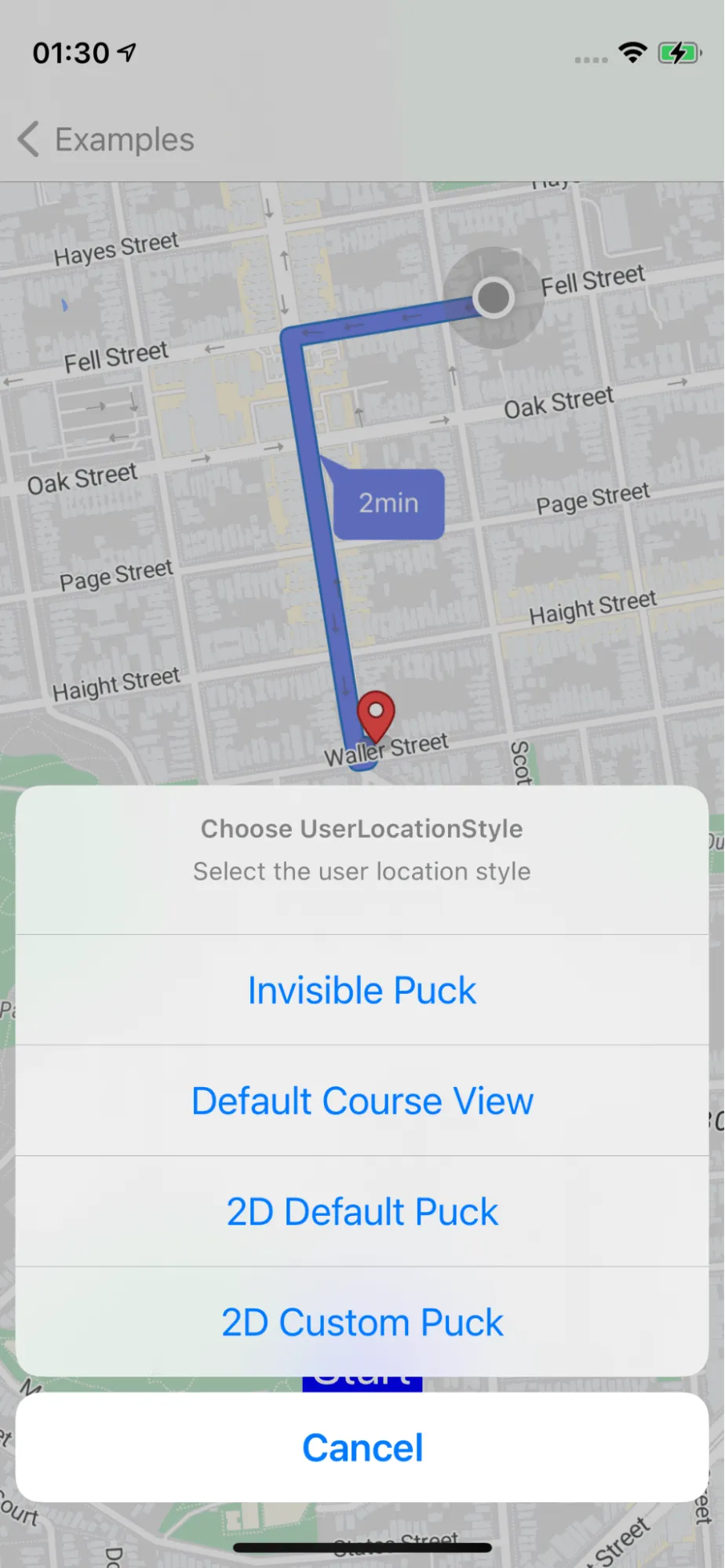
let alertController = UIAlertController(title: "Choose UserLocationStyle",
88
message: "Select the user location style",
89
preferredStyle: .actionSheet)
91
let courseView: ActionHandler = { _ in self.setupCourseView() }
92
let defaultPuck2D: ActionHandler = { _ in self.setupDefaultPuck2D() }
93
let invisiblePuck: ActionHandler = { _ in self.setupInvisiblePuck() }
94
let puck2D: ActionHandler = { _ in self.setupCustomPuck2D() }
95
let cancel: ActionHandler = { _ in }
97
let actionPayloads: [(String, UIAlertAction.Style, ActionHandler?)] = [
98
("Invisible Puck", .default, invisiblePuck),
99
("Default Course View", .default, courseView),
100
("2D Default Puck", .default, defaultPuck2D),
101
("2D Custom Puck", .default, puck2D),
102
("Cancel", .cancel, cancel)
106
.map { payload in UIAlertAction(title: payload.0, style: payload.1, handler: payload.2) }
107
.forEach(alertController.addAction(_:))
109
if let popoverController = alertController.popoverPresentationController {
110
popoverController.sourceView = self.startButton
111
popoverController.sourceRect = self.startButton.bounds
114
present(alertController, animated: true, completion: nil)
117
func setupCourseView() {
118
presentNavigationViewController(.courseView())
121
func setupDefaultPuck2D() {
122
presentNavigationViewController(.puck2D)
125
func setupInvisiblePuck() {
126
presentNavigationViewController(.none)
129
func setupCustomPuck2D() {
130
let courseView = UserPuckCourseView(frame: CGRect(origin: .zero, size: 75.0))
131
courseView.puckView.image = UIImage(named: "airplane")
132
let userLocationStyle = UserLocationStyle.courseView(courseView)
133
presentNavigationViewController(userLocationStyle)
136
func presentNavigationViewController(_ userLocationStyle: UserLocationStyle? = nil) {
137
guard let routes = self.routes else {
140
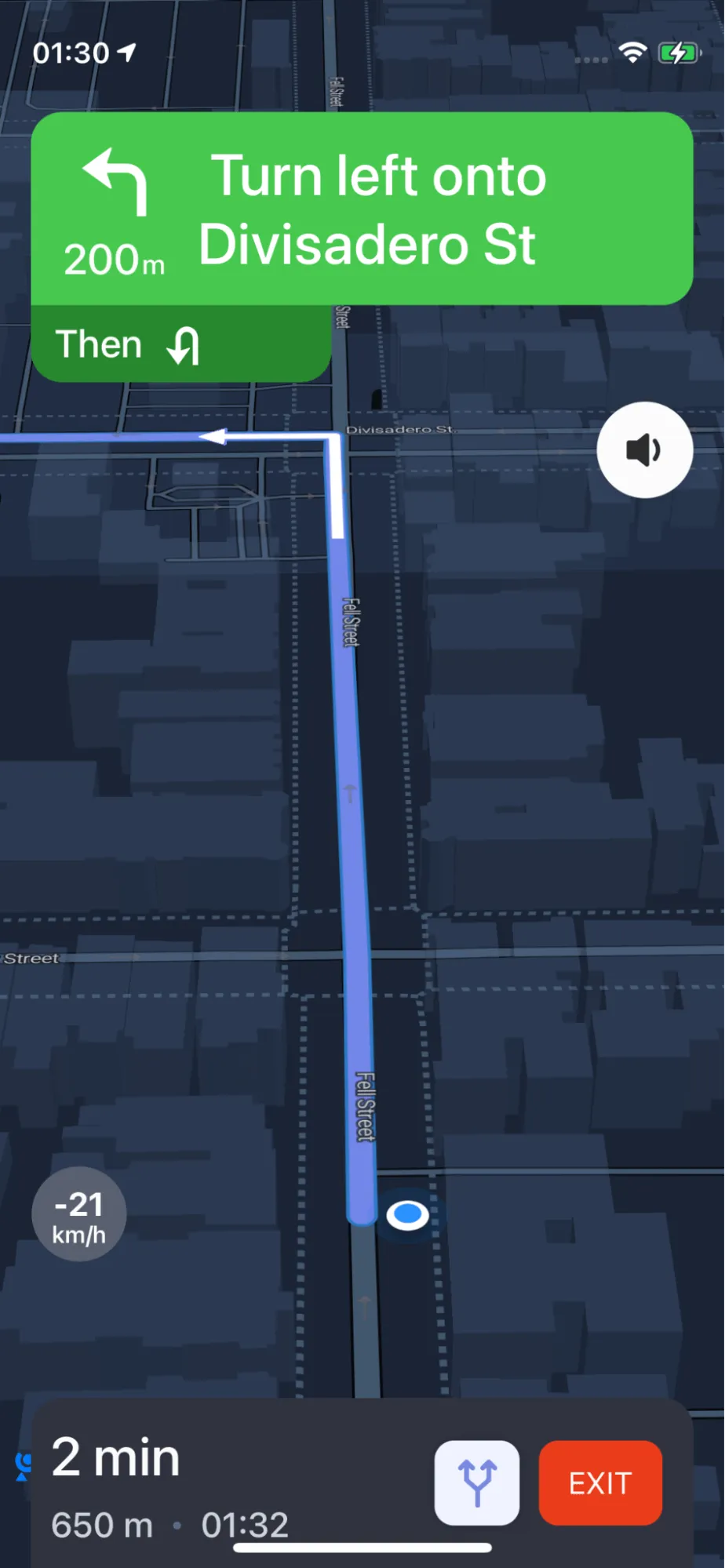
let navigationService = NBNavigationService(routes: routes, routeIndex: 0)
141
let navigationOptions = NavigationOptions(navigationService: navigationService)
142
let navigationViewController = NavigationViewController(for: routes,navigationOptions: navigationOptions)
143
navigationViewController.modalPresentationStyle = .fullScreen
144
navigationViewController.navigationMapView?.userLocationStyle = userLocationStyle
145
present(navigationViewController, animated: true, completion: nil)
148
func addNewDestinationcon(coordinates: CLLocationCoordinate2D){
149
guard let mapView = navigationMapView else {
153
if let annotation = mapView.annotations?.last {
154
mapView.removeAnnotation(annotation)
157
let annotation = NGLPointAnnotation()
158
annotation.coordinate = coordinates
159
mapView.addAnnotation(annotation)
162
func requestRoutes(origin: Waypoint, destination: Waypoint){
164
let options = RouteOptions.init(origin: origin, destination: destination)
166
options.includesAlternativeRoutes = true
169
options.roadClassesToAvoid = []
172
options.distanceMeasurementSystem = MeasurementSystem.metric
174
Directions.shared.calculate(options) { [weak self] routes, error in
175
guard let weakSelf = self else {
178
guard error == nil else {
183
guard let routes = routes else { return }
187
weakSelf.navigationMapView?.showRoutes(routes)
188
weakSelf.navigationMapView?.showRouteDurationSymbol(routes)
190
guard let current = routes.first else { return }
191
weakSelf.navigationMapView?.showWaypoints(current)
192
weakSelf.routes = routes