Custom banners

Enhance user experience by displaying customized banners, providing information like upcoming events and notification.

This example shows:

  • How to customize the styling of the Navigation Top banner and Bottom Banner

  • How to config custom banner for NavigationViewController
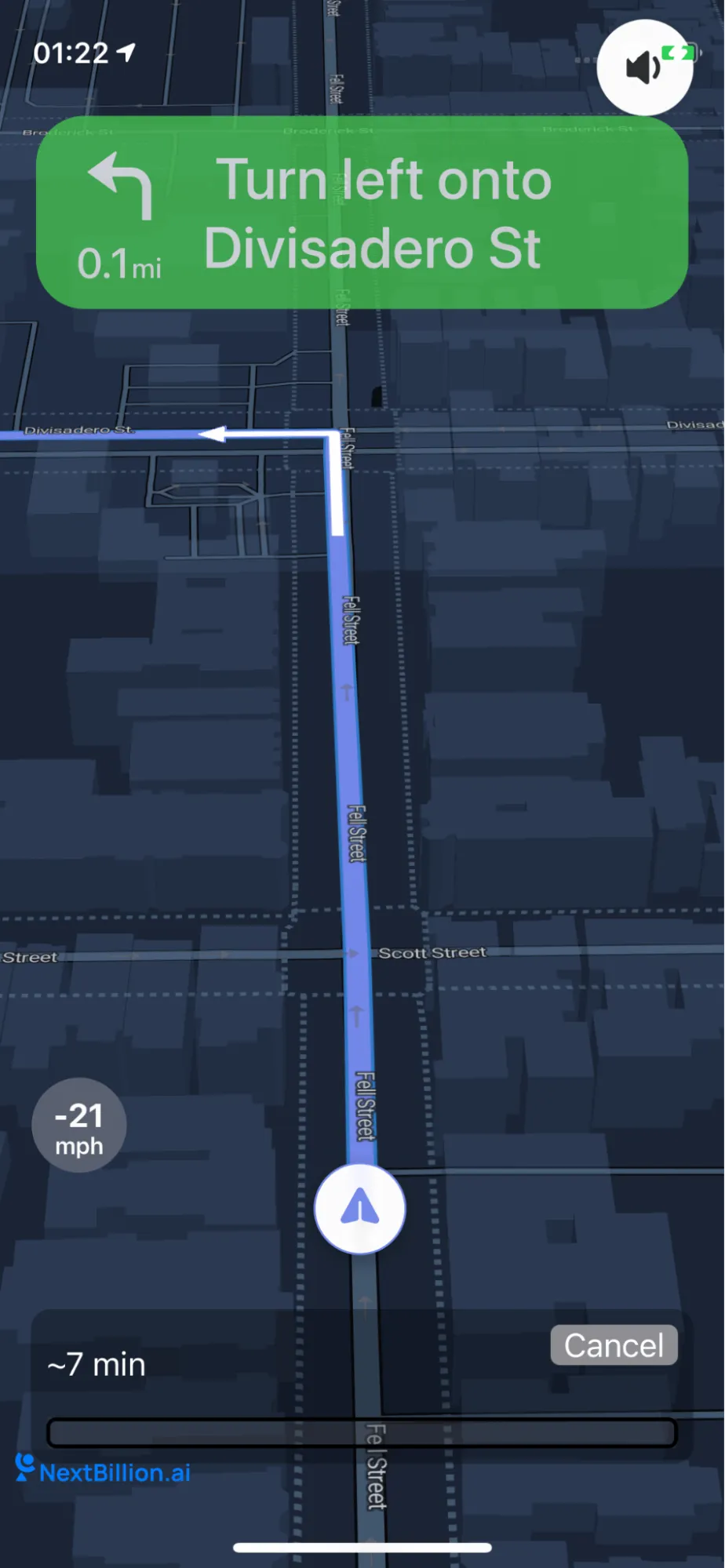
documentation image

For all code examples, refer to Navigation Code Examples

CustomBannersViewController view source

1
import UIKit
2
import NbmapNavigation
3
import NbmapCoreNavigation
4
5
class CustomBannersViewController: UIViewController {
6
7
override func viewDidLoad() {
8
super.viewDidLoad()
9
10
11
let origin = CLLocation(latitude: 37.77440680146262, longitude: -122.43539772352648)
12
let destination = CLLocation(latitude: 37.76556957793795, longitude: -122.42409811526268)
13
let options = NavigationRouteOptions(origin: origin, destination: destination)
14
Directions.shared.calculate(options) { [weak self] routes, error in
15
guard let strongSelf = self else {
16
return
17
}
18
guard error == nil else {
19
print(error!)
20
return
21
}
22
23
guard let routes = routes else { return }
24
25
26
// Initialize NBNavigationService with the fetched routes, set routeIndex of the primary route to 0
27
let navigationService = NBNavigationService(routes: routes, routeIndex: 0)
28
29
let topBanner = CustomTopBarViewController()
30
let bottomBanner = CustomBottomBarViewController()
31
let navigationOptions = NavigationOptions(navigationService: navigationService,topBanner: topBanner,bottomBanner:bottomBanner)
32
33
// Initialize the NavigationViewController
34
let navigationViewController = NavigationViewController(for: routes,navigationOptions: navigationOptions)
35
36
bottomBanner.navigationViewController = navigationViewController
37
38
let parentSafeArea = navigationViewController.view.safeAreaLayoutGuide
39
let bannerHeight: CGFloat = 80.0
40
let verticalOffset: CGFloat = 20.0
41
let horizontalOffset: CGFloat = 10.0
42
43
// To change the top and bottom banner size and position change layout constraints directly.
44
topBanner.view.topAnchor.constraint(equalTo: parentSafeArea.topAnchor).isActive = true
45
46
bottomBanner.view.heightAnchor.constraint(equalToConstant: bannerHeight).isActive = true
47
bottomBanner.view.bottomAnchor.constraint(equalTo: parentSafeArea.bottomAnchor, constant: -verticalOffset).isActive = true
48
bottomBanner.view.leadingAnchor.constraint(equalTo: parentSafeArea.leadingAnchor, constant: horizontalOffset).isActive = true
49
bottomBanner.view.trailingAnchor.constraint(equalTo: parentSafeArea.trailingAnchor, constant: -horizontalOffset).isActive = true
50
51
52
// Set the delegate of navigationViewController to subscribe for NavigationView's events, This is optional
53
navigationViewController.modalPresentationStyle = .fullScreen
54
55
// Render part of the route that has been traversed with full transparency, to give the illusion of a disappearing route.
56
navigationViewController.routeLineTracksTraversal = true
57
58
// Start navigation
59
strongSelf.present(navigationViewController, animated: true, completion: nil)
60
}
61
62
}
63
64
}

This code creates a simple navigation app using NbmapNavigation.

  • The code begins by importing necessary libraries.

  • It defines a CustomBannersViewController class that inherits from UIViewController, a base class for managing a view.

  • Inside the viewDidLoad() method, which is called after the view controller, which is responsible for managing your screen, has loaded into memory,

  • It calculates the route using Directions.shared.calculate(options).

  • The options contain information about the origin and destination coordinates for the route, which are hardcoded into the CLLocation objects.

  • If there are no errors, and the routes are returned, the NBNavigationService is initialized with these routes.

  • The code then creates two custom view controllers: CustomTopBarViewController and CustomBottomBarViewController. These controllers handle the banner at the top and the bottom of the navigation view, respectively.

  • It then creates NavigationOptions with the navigationService, topBanner, and bottomBanner.

  • A NavigationViewController is initialized using the routes and navigationOptions.

  • Then, navigationViewController is set as the property of bottomBanner for accessing `navigationViewController,

  • The code then defines the constraints for topBanner and bottomBanner views, which control their size and position on the screen.

  • navigationViewController.modalPresentationStyle = .fullScreen makes the navigation view appear as a full screen when presented.

  • navigationViewController.routeLineTracksTraversal = true makes the navigation view render the traversed route with full transparency, giving the illusion of a disappearing route.

  • The navigation is started by presenting the navigationViewController.