# Display User Location
This section of the iOS Maps SDK provides developers with the necessary tools and guidelines to incorporate user location functionality into their applications. This functionality allows users to see their current location on the map, providing a more personalized and interactive experience.
## Permissions
This section explains the importance of obtaining the necessary location permissions from the user. It provides information on how to request location permissions and handle user responses. Ensuring that the appropriate permissions are obtained is crucial for accessing and displaying the user's location accurately and securely.
Add the following to the `info.plist`
```xml
NSLocationAlwaysAndWhenInUseUsageDescription
YOUR_DESCRIPTION
NSLocationAlwaysUsageDescription
YOUR_DESCRIPTION
```
Replace *YOUR_DESCRIPTION* with a short description of the location information your application uses.
Permission requests are automatically triggered by the Maps SDK when obtaining location information
## Location provider/Component
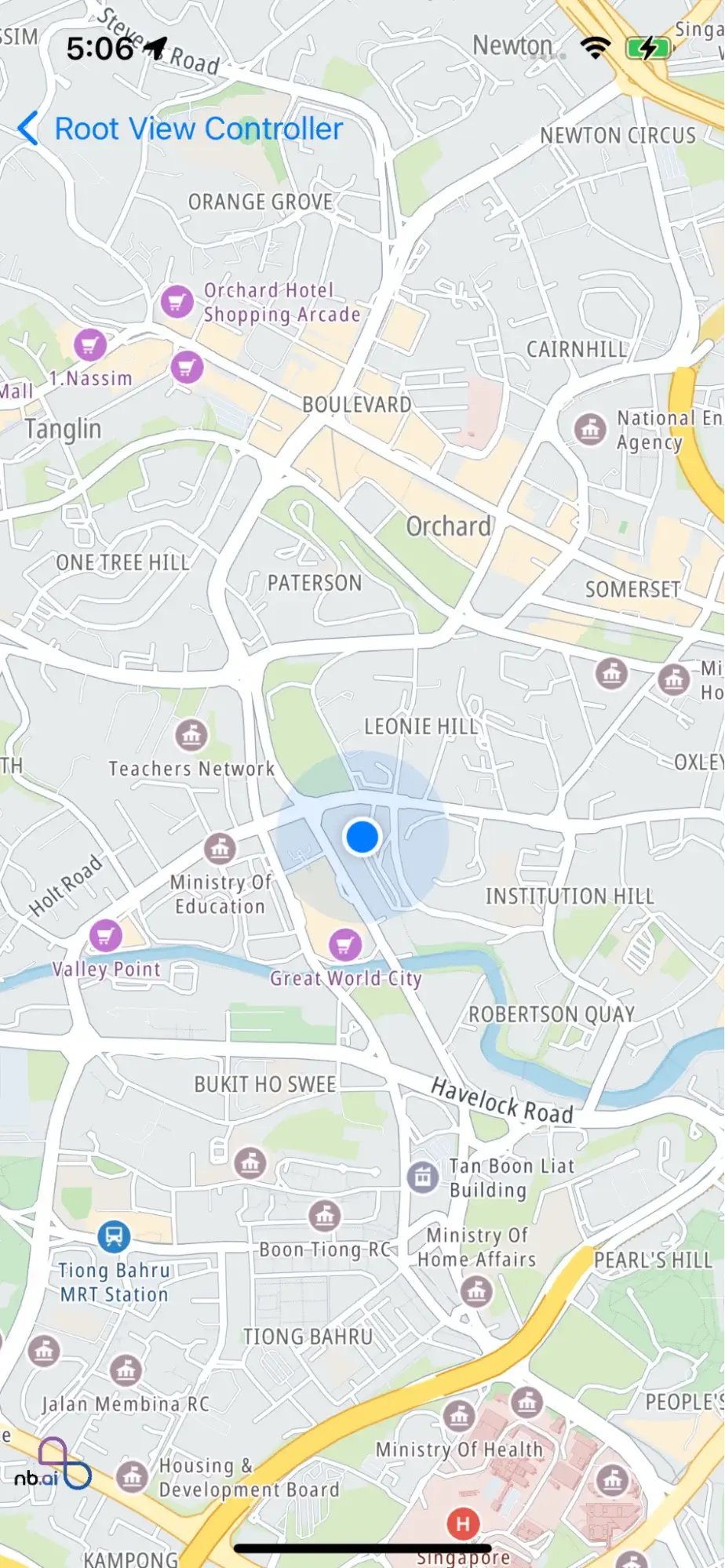
You can use the following code to display the current location on the map.
`mapView.showsUserLocation = true`
You can also use your own location component. Here is an example of `MapView` using a custom Location component.
1. Create custom `MapLocationManager`
```swift
import Nbmap
import CoreLocation
class CustomMapLocationManager: NSObject,NGLLocationManager {
var delegate: NGLLocationManagerDelegate? {
didSet {
locationManager.delegate = self
}
}
// Replay with your own location manager
private let locationManager = CLLocationManager()
var headingOrientation: CLDeviceOrientation {
get {
return locationManager.headingOrientation
}
set {
locationManager.headingOrientation = newValue
}
}
var desiredAccuracy: CLLocationAccuracy {
get {
return locationManager.desiredAccuracy
}
set {
locationManager.desiredAccuracy = newValue
}
}
var authorizationStatus: CLAuthorizationStatus {
if #available(iOS 14.0, *) {
return locationManager.authorizationStatus
} else {
return CLLocationManager.authorizationStatus()
}
}
var activityType: CLActivityType {
get {
return locationManager.activityType
}
set {
locationManager.activityType = newValue
}
}
@available(iOS 14.0, *)
var accuracyAuthorization: CLAccuracyAuthorization {
return locationManager.accuracyAuthorization
}
@available(iOS 14.0, *)
func requestTemporaryFullAccuracyAuthorization(withPurposeKey purposeKey: String) {
locationManager.requestTemporaryFullAccuracyAuthorization(withPurposeKey: purposeKey)
}
func dismissHeadingCalibrationDisplay() {
locationManager.dismissHeadingCalibrationDisplay()
}
func requestAlwaysAuthorization() {
locationManager.requestAlwaysAuthorization()
}
func requestWhenInUseAuthorization() {
locationManager.requestWhenInUseAuthorization()
}
func startUpdatingHeading() {
locationManager.startUpdatingHeading()
}
func startUpdatingLocation() {
locationManager.startUpdatingLocation()
}
func stopUpdatingHeading() {
locationManager.stopUpdatingHeading()
}
func stopUpdatingLocation() {
locationManager.stopUpdatingLocation()
}
deinit {
locationManager.stopUpdatingLocation()
locationManager.stopUpdatingHeading()
locationManager.delegate = nil
delegate = nil
}
}
// MARK: - CLLocationManagerDelegate
extension CustomMapLocationManager : CLLocationManagerDelegate {
func locationManager(_ manager: CLLocationManager, didUpdateLocations locations: [CLLocation]) {
delegate?.locationManager(self, didUpdate: locations)
}
func locationManager(_ manager: CLLocationManager, didUpdateHeading newHeading: CLHeading) {
delegate?.locationManager(self, didUpdate: newHeading)
}
func locationManagerShouldDisplayHeadingCalibration(_ manager: CLLocationManager) -> Bool {
return delegate?.locationManagerShouldDisplayHeadingCalibration(self) ?? false
}
func locationManager(_ manager: CLLocationManager, didFailWithError error: Error) {
delegate?.locationManager(self, didFailWithError: error)
}
@available(iOS 14.0, *)
func locationManagerDidChangeAuthorization(_ manager: CLLocationManager) {
delegate?.locationManagerDidChangeAuthorization(self)
}
}
```
2. Use custom location manager
```swift
import Foundation
import UIKit
import Nbmap
class CustomLocationSourceViewController: UIViewController {
var nbMapView: NGLMapView! {
didSet {
oldValue?.removeFromSuperview()
if let mapView = nbMapView {
view.insertSubview(mapView, at: 0)
}
}
}
override func viewDidLoad() {
super.viewDidLoad()
nbMapView = NGLMapView(frame:self.view.bounds)
nbMapView.autoresizingMask = [.flexibleWidth, .flexibleHeight]
/**
Custom the location source , The locationManager that this map view uses to start and stop the delivery of
location-related updates.
To receive the current user location, implement the
`-[NGLMapViewDelegate mapView:didUpdateUserLocation:]` and
`-[NGLMapViewDelegate mapView:didFailToLocateUserWithError:]` methods.
If setting this property to `nil` or if no custom manager is provided this
property is set to the default location manager.
`NGLMapView` uses a default location manager. If you want to substitute your
own location manager, you should do so by setting this property before setting
`showsUserLocation` to `YES`. To restore the default location manager,
set this property to `nil`.
*/
nbMapView.locationManager = CustomMapLocationManager()
nbMapView.showsUserLocation = true
nbMapView.userTrackingMode = .follow
}
}
```
## Location Puck
The location puck refers to the graphical representation of the user's current location on the map. This subsection discusses how to customize and style the location puck to match the app's design and provide a clear visual indication of the user's position on the map. Developers can learn how to adjust the size, color, and shape of the location puck to meet their application's requirements.
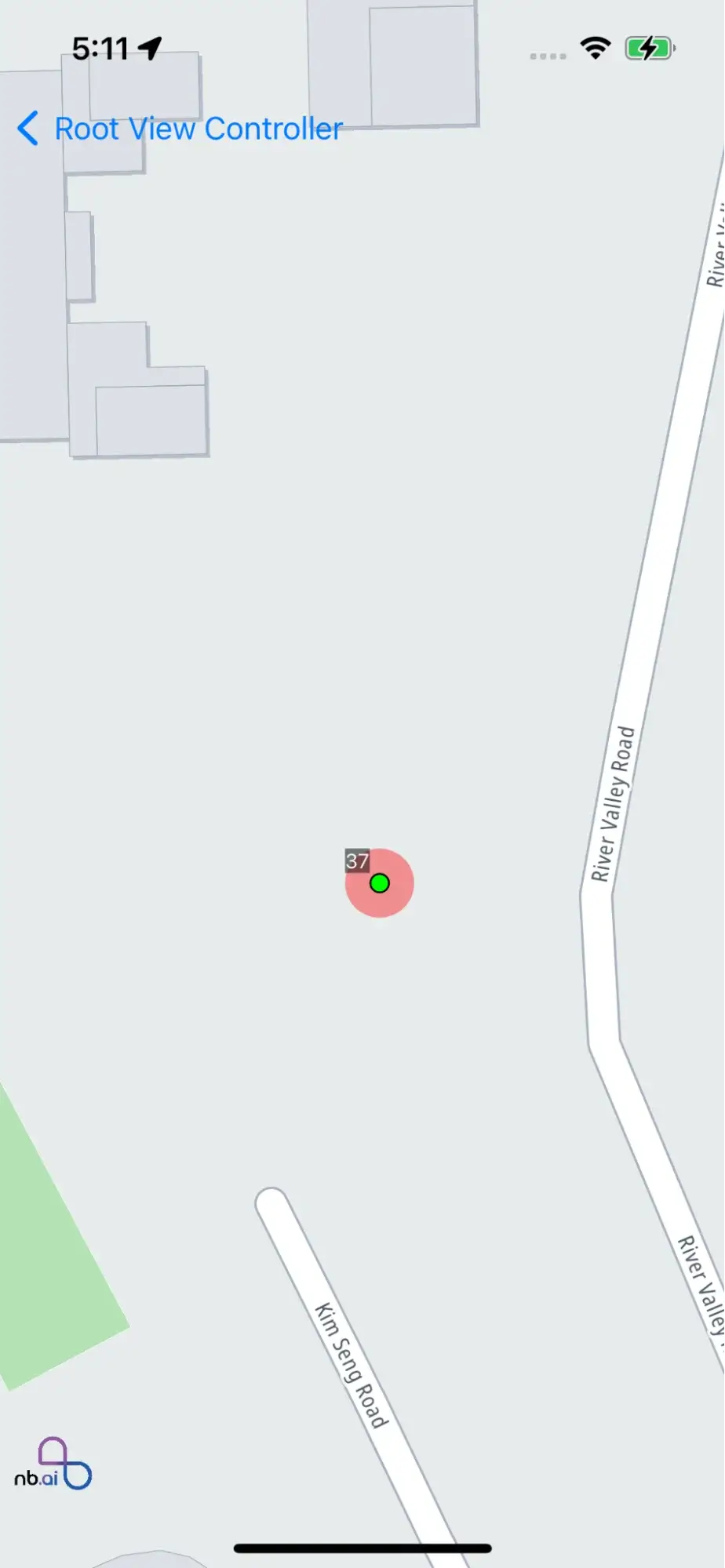
Code example: show user location on the map and customise puck view
```swift
import UIKit
import Nbmap
class CustomPuckViewController: UIViewController {
var nbMapView: NGLMapView! {
didSet {
oldValue?.removeFromSuperview()
if let mapView = nbMapView {
view.insertSubview(mapView, at: 0)
}
}
}
override func viewDidLoad() {
super.viewDidLoad()
nbMapView = NGLMapView(frame:self.view.bounds)
nbMapView.autoresizingMask = [.flexibleWidth, .flexibleHeight]
nbMapView.delegate = self
nbMapView.userTrackingMode = .follow
}
}
// MARK: - NGLMapViewDelegate
extension CustomPuckViewController: NGLMapViewDelegate {
/**
Asks the user styling options for each default user location annotation view.
This method is called many times during gesturing, so you should avoid performing
complex or performance-intensive tasks in your implementation.
@param mapView The map view that is tracking the user's location.
*/
func mapView(styleForDefaultUserLocationAnnotationView mapView: NGLMapView) -> NGLUserLocationAnnotationViewStyle {
let locationStyle = NGLUserLocationAnnotationViewStyle()
/**
The fill color for the puck view.
*/
locationStyle.puckFillColor = UIColor.blue
/**
The shadow color for the puck view.
*/
locationStyle.puckShadowColor = UIColor.red
/**
The shadow opacity for the puck view.
Set any value between 0.0 and 1.0.
The default value of this property is equal to `0.25`
*/
locationStyle.puckShadowOpacity = 0.25
/**
The fill color for the arrow puck.
*/
locationStyle.puckArrowFillColor = UIColor.black
/**
The fill color for the puck view.
*/
locationStyle.haloFillColor = UIColor.white
if #available(iOS 14, *) {
/**
The halo fill color for the approximate view.
*/
locationStyle.approximateHaloFillColor = UIColor.white
/**
The halo border color for the approximate view.
*/
locationStyle.approximateHaloBorderColor = UIColor.white
/**
The halo border width for the approximate view.
The default value of this property is equal to `2.0`
*/
locationStyle.approximateHaloBorderWidth = 2.0
/**
The halo opacity for the approximate view.
Set any value between 0.0 and 1.0
The default value of this property is equal to `0.15`
*/
locationStyle.approximateHaloOpacity = 0.15
}
return locationStyle
}
/**
Returns a view object to mark the given point annotation object on the map.
Implement this method to mark a point annotation with a view object. If you
want to mark a particular point annotation with a static image instead, omit
this method or have it return `nil` for that annotation, then implement
`-mapView:imageForAnnotation:` instead.
Annotation views are compatible with UIKit, Core Animation, and other Cocoa
Touch frameworks. On the other hand, static annotation images use less memory
and draw more quickly than annotation views.
The user location annotation view can also be customized via this method. When
`annotation` is an instance of `NGLUserLocation` (or equal to the map view's
`userLocation` property), return an instance of `NGLUserLocationAnnotationView`
(or a subclass thereof).
@param mapView The map view that requested the annotation view.
@param annotation The object representing the annotation that is about to be
displayed.
@return The view object to display for the given annotation or `nil` if you
want to display an annotation image instead.
*/
func mapView(_ mapView: NGLMapView, viewFor annotation: NGLAnnotation) -> NGLAnnotationView? {
let annotationView = CustomUserLocationAnnotationView(frame: CGRect.zero)
annotationView.frame = CGRect(x:0, y:0, width:annotationView.intrinsicContentSize.width, height:annotationView.intrinsicContentSize.height);
return annotationView
}
}
```
## Location tracking mode
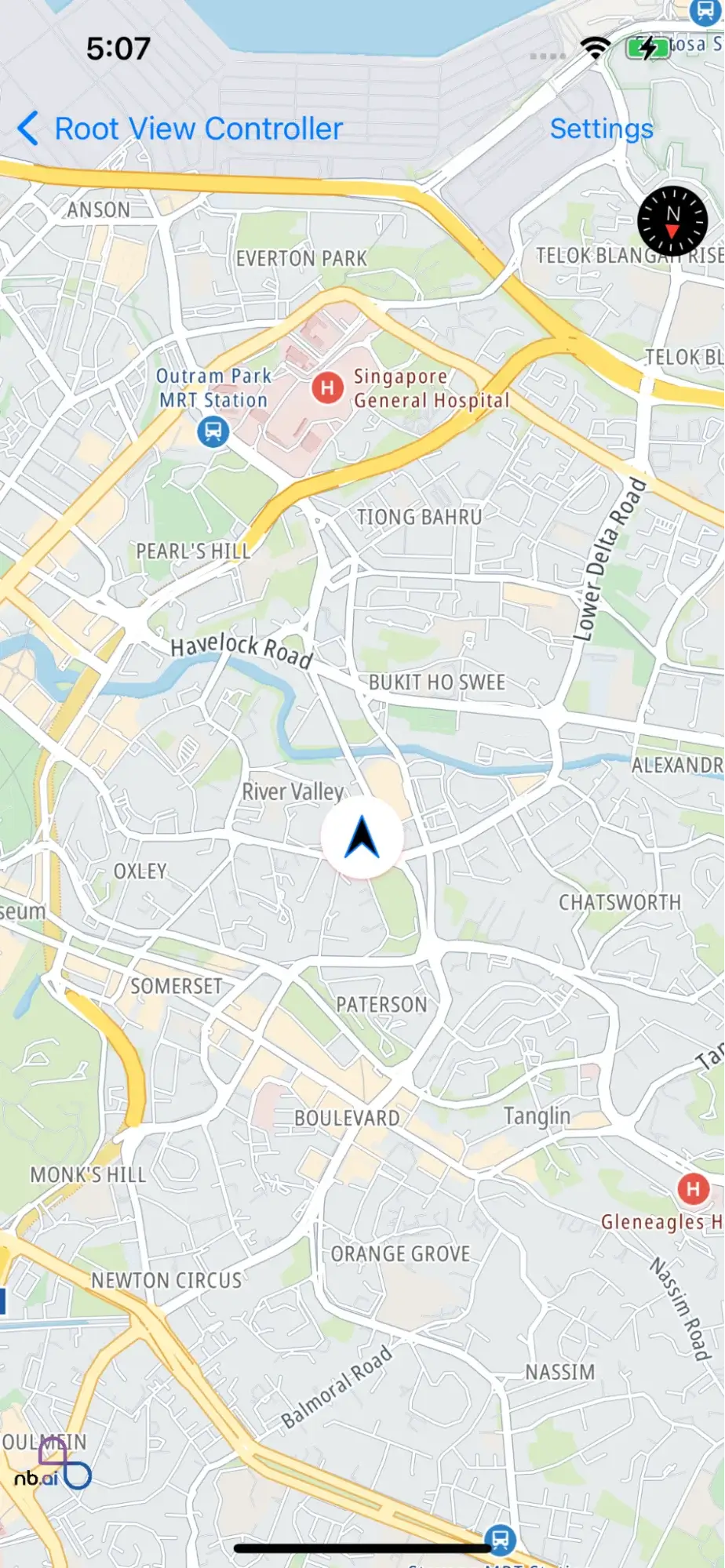
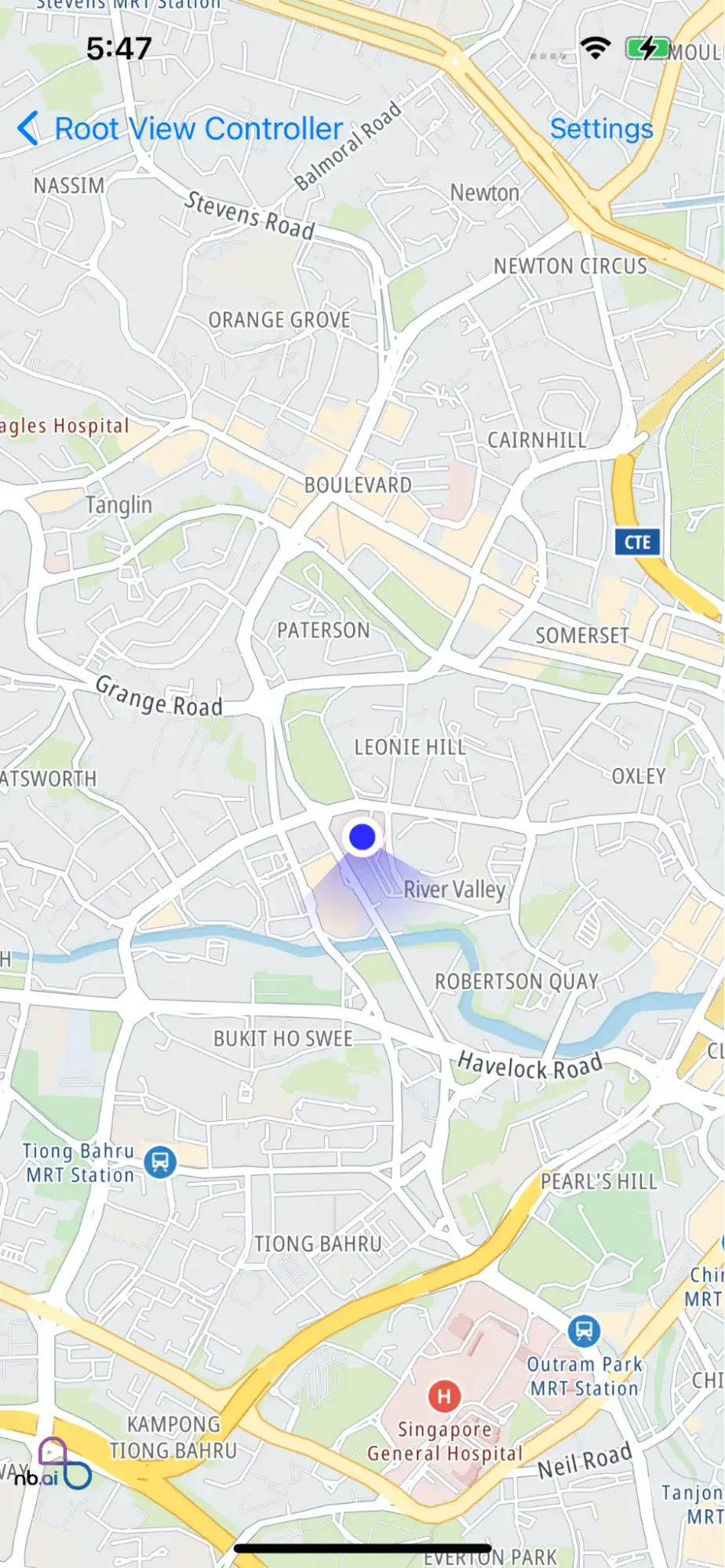
This subsection focuses on different location tracking modes available in the iOS Maps SDK. It explains the concept of location tracking modes, such as `follow`, `follow with course`, and `follow with heading`. Developers can understand how each tracking mode works and choose the appropriate one based on their application's needs. These modes enable the map to dynamically adjust and center on the user's location as they move, providing a smooth and intuitive user experience.
The provided code example demonstrates how to show the user's location on a map and change the tracking mode using the iOS Maps SDK.
```swift
import UIKit
import Nbmap
enum LocationType {
case HidePuckView
case UpdateToFollow
case UpdateToFollowWithHeading
case UpdateToFollowWithCourse
case GetUserLocation
}
class LocationStyleViewController: UIViewController {
var nbMapView: NGLMapView! {
didSet {
oldValue?.removeFromSuperview()
if let mapView = nbMapView {
view.insertSubview(mapView, at: 0)
}
}
}
var button: UIButton!
let typeList = [
LocationType.HidePuckView,
LocationType.UpdateToFollow,
LocationType.UpdateToFollowWithCourse,
LocationType.UpdateToFollowWithHeading,
LocationType.GetUserLocation
]
override func viewDidLoad() {
super.viewDidLoad()
nbMapView = NGLMapView(frame:self.view.bounds)
nbMapView.autoresizingMask = [.flexibleWidth, .flexibleHeight]
nbMapView.delegate = self
button = UIButton(type: .system)
button.setTitle("Settings", for: .normal)
button.addTarget(self, action: #selector(showSetings), for: .touchUpInside)
button.frame = CGRect(x: 0, y: 0, width: 100, height: 40)
navigationItem.rightBarButtonItem = UIBarButtonItem(customView: button)
}
@objc func showSetings() {
let tableViewController = UITableViewController(style: .plain)
tableViewController.tableView.delegate = self
tableViewController.tableView.dataSource = self
tableViewController.title = "Locations Settings"
self.present(tableViewController, animated: true)
}
func performeSettings(tyle: LocationType) {
switch tyle {
case LocationType.UpdateToFollow:
nbMapView.setUserTrackingMode(.follow,animated: true,completionHandler: nil)
break
case LocationType.UpdateToFollowWithCourse:
nbMapView.setUserTrackingMode(.followWithCourse,animated: true,completionHandler: nil)
break
case LocationType.UpdateToFollowWithHeading:
nbMapView.setUserTrackingMode(.followWithHeading,animated: true,completionHandler: nil)
break
case LocationType.HidePuckView:
nbMapView.setUserTrackingMode(.none,animated: true,completionHandler: nil)
break
case LocationType.GetUserLocation:
if let userLocation = nbMapView.userLocation {
let location = userLocation.location
let isUpdating = userLocation.isUpdating
let title = userLocation.title
let subtitle = userLocation.subtitle ?? ""
print("location:" + location!.description)
print("isUpdating:" + String(isUpdating))
print("title:" + title)
print("subtitle:" + subtitle)
if let heading = userLocation.heading {
print(heading.description)
}
}
break
}
}
}
extension LocationStyleViewController: NGLMapViewDelegate {
func mapView(_ mapView: NGLMapView, didFinishLoading style: NGLStyle){
let camera = NGLMapCamera(lookingAtCenter: CLLocationCoordinate2DMake(12.94798778, 77.57375084),
acrossDistance:10000,
pitch:0,
heading:0)
nbMapView.fly(to: camera)
}
/**
Tells the user that the map view will begin tracking the user's location.
This method is called when the value of the `showsUserLocation` property
changes to `YES`.
@param mapView The map view that is tracking the user's location.
*/
func mapViewWillStartLocatingUser(_ mapView: NGLMapView) {
}
/**
Tells the user that the map view has stopped tracking the user's location.
This method is called when the value of the `showsUserLocation` property
changes to `NO`.
@param mapView The map view that is tracking the user's location.
*/
func mapViewDidStopLocatingUser(_ mapView: NGLMapView) {
}
/**
Asks the user styling options for each default user location annotation view.
This method is called many times during gesturing, so you should avoid performing
complex or performance-intensive tasks in your implementation.
@param mapView The map view that is tracking the user's location.
*/
func mapView(styleForDefaultUserLocationAnnotationView mapView: NGLMapView) -> NGLUserLocationAnnotationViewStyle {
let locationStyle = NGLUserLocationAnnotationViewStyle()
/**
The fill color for the puck view.
*/
locationStyle.puckFillColor = UIColor.blue
/**
The shadow color for the puck view.
*/
locationStyle.puckShadowColor = UIColor.red
/**
The shadow opacity for the puck view.
Set any value between 0.0 and 1.0.
The default value of this property is equal to `0.25`
*/
locationStyle.puckShadowOpacity = 0.25
/**
The fill color for the arrow puck.
*/
locationStyle.puckArrowFillColor = UIColor.black
/**
The fill color for the puck view.
*/
locationStyle.haloFillColor = UIColor.white
if #available(iOS 14, *) {
/**
The halo fill color for the approximate view.
*/
locationStyle.approximateHaloFillColor = UIColor.white
/**
The halo border color for the approximate view.
*/
locationStyle.approximateHaloBorderColor = UIColor.white
/**
The halo border width for the approximate view.
The default value of this property is equal to `2.0`
*/
locationStyle.approximateHaloBorderWidth = 2.0
/**
The halo opacity for the approximate view.
Set any value between 0.0 and 1.0
The default value of this property is equal to `0.15`
*/
locationStyle.approximateHaloOpacity = 0.15
}
return locationStyle
}
/**
Tells the user that the location of the user was updated.
While the `showsUserLocation` property is set to `YES`, this method is called
whenever a new location update is received by the map view. This method is also
called if the map view's user tracking mode is set to
`NGLUserTrackingModeFollowWithHeading` and the heading changes, or if it is set
to `NGLUserTrackingModeFollowWithCourse` and the course changes.
This method is not called if the application is currently running in the
background. If you want to receive location updates while running in the
background, you must use the Core Location framework.
private @param mapView The map view that is tracking the user's location.
@param userLocation The location object represents the user's latest
location. This property may be `nil`.
*/
func mapView(_ mapView: NGLMapView, didUpdate userLocation: NGLUserLocation?) {
}
/**
Tells the user that an attempt to locate the user's position failed.
@param mapView The map view that is tracking the user's location.
@param error An error object containing the reason why location tracking
failed.
*/
func mapView(_ mapView: NGLMapView, didFailToLocateUserWithError error: Error) {
}
/**
Tells the user that the map view's user tracking mode has changed.
This method is called after the map view asynchronously changes to reflect the
new user tracking mode, for example by beginning to zoom or rotate.
private @param mapView The map view changed its tracking mode.
@param mode The new tracking mode.
@param animated Whether the change caused an animated effect on the map.
*/
func mapView(_ mapView: NGLMapView, didChange mode: NGLUserTrackingMode, animated: Bool ) {
}
/**
Returns a screen coordinate at which to position the user location annotation.
This coordinate is relative to the map view's origin after applying the map view's
content insets.
When unimplemented, the user location annotation is aligned within the center of
the map view with respect to the content insets.
This method will override any values set by `NGLMapView.userLocationVerticalAlignment`
or `-[NGLMapView setUserLocationVerticalAlignment:animated:]`.
@param mapView The map view that is tracking the user's location.
Notes: We don't need to set the anchor point for now, so comment out this method first
*/
// func mapViewUserLocationAnchorPoint(_ mapView: NGLMapView ) -> CGPoint {
//
// }
/**
Tells the user that the map's location updates accuracy authorization has changed.
This method is called after the user changes location accuracy authorization when
requesting location permissions or in privacy settings.
@param mapView The map view that changed its location accuracy authorization.
@param manager The location manager reporting the update.
*/
func mapView(_ apView: NGLMapView, didChangeLocationManagerAuthorization manager: NGLLocationManager) {
}
/**
Returns a view object to mark the given point annotation object on the map.
Implement this method to mark a point annotation with a view object. If you
want to mark a particular point annotation with a static image instead, omit
this method or have it return `nil` for that annotation, then implement
`-mapView:imageForAnnotation:` instead.
Annotation views are compatible with UIKit, Core Animation, and other Cocoa
Touch frameworks. On the other hand, static annotation images use less memory
and draw more quickly than annotation views.
The user location annotation view can also be customized via this method. When
`annotation` is an instance of `NGLUserLocation` (or equal to the map view's
`userLocation` property), return an instance of `NGLUserLocationAnnotationView`
(or a subclass thereof).
@param mapView The map view that requested the annotation view.
@param annotation The object representing the annotation that is about to be
displayed.
@return The view object to display for the given annotation or `nil` if you
want to display an annotation image instead.
*/
func mapView(_ mapView: NGLMapView, viewFor annotation: NGLAnnotation) -> NGLAnnotationView? {
return nil
}
}
extension LocationStyleViewController: UITableViewDelegate, UITableViewDataSource {
func settingsTitlesForRaw(index: Int) -> String {
let type = typeList[index]
var title: String = ""
switch type {
case LocationType.HidePuckView :
title = "Hide puck view"
break
case LocationType.UpdateToFollowWithHeading:
title = "Update puck view to follow with heading"
break
case LocationType.UpdateToFollowWithCourse:
title = "Update puck view to follow with course"
break
case LocationType.UpdateToFollow:
title = "Update puck view to follow"
break
case LocationType.GetUserLocation:
title = "Get user location"
break
}
return title
}
func tableView(_ tableView: UITableView, numberOfRowsInSection section: Int) -> Int {
return typeList.count
}
func tableView(_ tableView: UITableView, cellForRowAt indexPath: IndexPath) -> UITableViewCell {
let cell = UITableViewCell(style: .default, reuseIdentifier: nil)
cell.textLabel?.text = settingsTitlesForRaw(index: indexPath.row)
return cell
}
func tableView(_ tableView: UITableView, didSelectRowAt indexPath: IndexPath) {
tableView.isHidden = true
let type = typeList[indexPath.row]
dismissSettings(type: type)
}
func dismissSettings(type: LocationType) {
dismiss(animated: true)
performeSettings(tyle: type)
}
}
```
Let's break down the code:
**Import Statements**:
* The code begins with the import statements for the required frameworks, `UIKit` and `Nbmap`
**Enum Declaration**:
* The `LocationType` enum defines different types of location settings, such as hiding the puck view, updating to follow the user's location, updating to follow with a heading, updating to follow with a course, and getting the user's location.
**Class Declaration**:
* The `LocationStyleViewController` class is a subclass of **UIViewController** and serves as the main view controller for the location functionality.
* It declares a property `nbMapView` of type **NGLMapView** to display the map view and handles its setup and removal.
* It also declares a property `button` of type **UIButton** to show a settings button on the navigation bar.
* The class includes an array `typeList` that stores the different **LocationType** options.
* The `viewDidLoad()` method initializes the **nbMapView** and sets its delegate. It also sets up the settings button on the navigation bar.
* The `showSettings()` method is called when the settings button is tapped. It presents a table view controller to display location settings options.
* The `performSettings(type:)` method is called when a location setting is selected. It performs the corresponding action based on the selected **LocationType**.
**Extensions**:
* The `LocationStyleViewController` extension implements the `NGLMapViewDelegate` protocol, providing necessary delegate methods for the map view.
* The `mapView(_:didFinishLoading:)` method is called when the map finishes loading. It sets the initial camera position.
* Other delegate methods, such as `mapViewWillStartLocatingUser`, `mapViewDidStopLocatingUser`, and `mapView(_:didChange:animated:)`, are implemented but are currently empty. They can be used to handle various events related to user location tracking.
* The `mapView(styleForDefaultUserLocationAnnotationView:)` method customizes the appearance of the user location annotation view by setting properties such as *puckFillColor*, *puckShadowColor*, and *haloFillColor*.
* The `mapView(_:didUpdate:)` method is called when the user's location is updated. Currently, it is empty and can be used to perform actions based on the user's updated location.
* Other delegate methods, such as `mapView(_:didFailToLocateUserWithError:)` and `mapView(_:didChangeLocationManagerAuthorization:)`, are implemented but are currently empty.
**Additional Extensions**:
* The `LocationStyleViewController` extension implements the *UITableViewDelegate* and *UITableViewDataSource* protocols to handle the settings table view.
* The methods in these extensions populate the table view with the available location settings options and handle selection.
* The `dismissSettings(type:)` method is called when a location setting is selected, and it dismisses the settings view controller and performs the corresponding action.
Overall, the code example provides a view controller that displays a map view, handles user location tracking, and allows the user to change the location tracking mode based on different settings.